


We’re all losing energy in ways we can’t see—drafty windows, phantom appliance drain, an HVAC system working overtime. The fix? Start with a smart thermostat for instant savings, then add smart plugs and lighting to cut waste further. Connect them together, and you’ve got a home that manages itself efficiently. We’ll show you exactly which upgrade to install first and how they compound for maximum savings ahead.
Signs Your Home Is Losing Energy Without You Noticing
Because energy loss rarely announces itself with a dramatic gesture, we often miss the quiet clues our homes give us every day. A draft near the window frame, a wall that’s warm beside an outlet, or an HVAC system that runs longer than it should—these are symptoms of hidden energy leaks we’ve learned to tune out.
We also overlook unnoticed appliance drain: chargers left plugged in, routers running at full power overnight, or older devices pulling electricity even in standby mode. Individually, these seem negligible. Collectively, they inflate our bills and strain our systems.
Smart monitors change this equation. By tracking real-time consumption at the outlet and circuit level, we finally see which culprits deserve attention—and which habits need immediate correction.
Smart Thermostats That Actually Lower Your Utility Bills
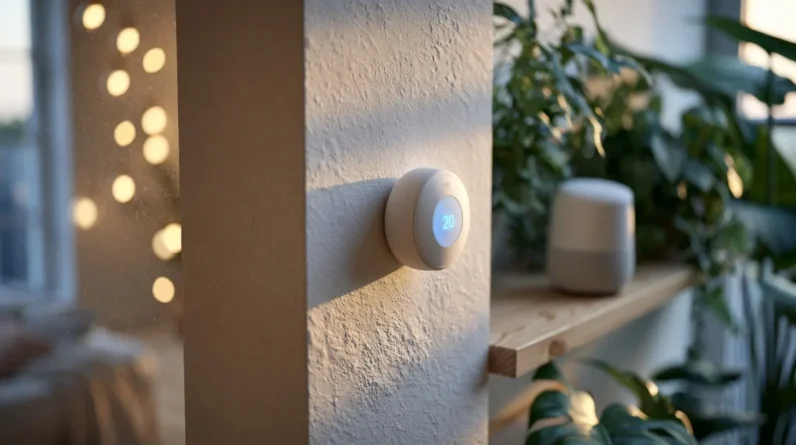
Once we’ve spotted where energy slips away, the next move is putting a smart thermostat to work on the biggest culprit: heating and cooling. We’re not talking basic programmable models here—we mean devices with real energy monitoring capabilities that track usage patterns and adjust in real time. We set learning algorithms to recognize our schedules, occupancy sensors to detect empty rooms, and geofencing to trigger setbacks the moment we leave home.
These systems don’t just automate comfort; they translate data into measurable cost savings. We can review monthly reports, identify inefficient zones, and fine-tune temperature curves down to the degree. Pair that with HVAC diagnostics alerts, and we’re catching problems before they inflate bills. That’s mastery-level efficiency, not guesswork.
Smart Plugs and Lighting Upgrades Worth Adding Today
Thermostats handle the big-ticket energy drains, but smart plugs and lighting tackle the sneaky ones—phantom loads from chargers, gaming consoles, and kitchen gadgets we forget are even plugged in. We recommend starting with plugs offering built-in energy monitoring; you’ll see exactly which devices drain power and by how much, turning guesswork into data-driven decisions. Pair those insights with scheduled or occupancy-based automation, and you cut waste without lifting a finger.
For lighting, we suggest swapping to smart bulbs with dimming and color-tuning capabilities—not just for ambiance, but for reducing unnecessary wattage during daylight hours. Automation benefits compound here: motion-triggered lighting eliminates rooms left glowing empty, while geofencing shuts everything down when we leave.
Together, these upgrades close the gap thermostats can’t reach, giving us full-spectrum control over consumption.
How Connected Smart Devices Work Together to Save Energy
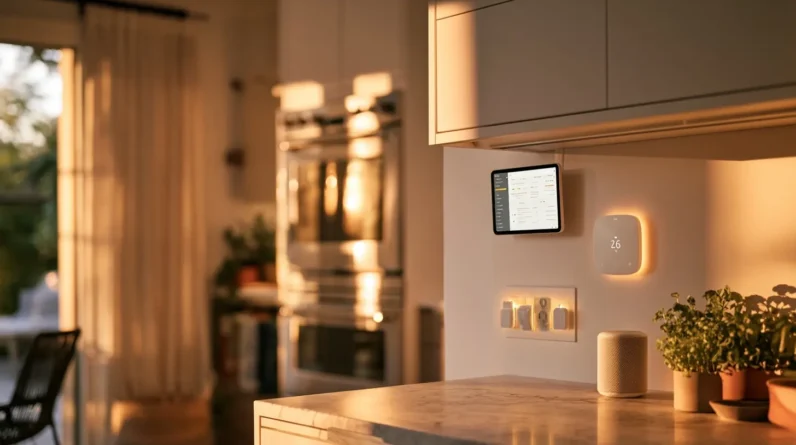
When we let our thermostat, plugs, and bulbs talk to each other, the real savings kick in. Device automation removes the guesswork—your lights dim when a room’s empty, your thermostat adjusts when you leave, and your plugs cut standby power automatically. This isn’t just convenience; it’s a coordinated system reducing waste at every touchpoint.
Energy monitoring ties it all together. Instead of isolated data points, we get a full picture of consumption patterns, revealing exactly where efficiency gains happen.
| Device Pairing | Energy-Saving Outcome |
|---|---|
| Thermostat + Occupancy Sensor | Reduces HVAC runtime |
| Smart Plugs + Schedules | Eliminates phantom load |
| Bulbs + Motion Detection | Cuts unnecessary lighting hours |
| Monitoring App + All Devices | Identifies consumption trends |
| Voice Hub + Automation Rules | Streamlines multi-device control |
This synergy transforms individual upgrades into a genuinely efficient home ecosystem.
Which Smart Home Upgrade Should You Install First?
Knowing how these devices work together is one thing; deciding where to start is another. We recommend starting with a smart thermostat—it delivers immediate energy savings and requires minimal setup. From there, layer in smart plugs to cut phantom power drain on electronics you already own.
Next, prioritize smart speaker integration. It becomes your control hub, letting you manage thermostats, lighting, and locks through voice commands without juggling multiple apps. Once your hub’s in place, add smart lighting and door locks—both plug into that same ecosystem instantly.
This sequence matters because home automation benefits compound: each device you add increases the efficiency of the ones already installed. Start centralized, then expand outward, and you’ll avoid the fragmented setups that waste both money and time.
Frequently Asked Questions
Do Smart Home Devices Work During Power Outages or Internet Disruptions?
Not without preparation, but we can bridge the gaps ourselves. We recommend battery backups for critical hubs and internet redundancy through cellular failover routers, ensuring your automation, security, and monitoring systems stay operational when outages strike.
Are Smart Devices Vulnerable to Hacking or Privacy Breaches?
Yes, hacking risks are real—but we can minimize them. We recommend prioritizing smart device security through strong passwords, network segmentation, firmware updates, and two-factor authentication. Choose reputable brands, encrypt your network, and you’ll greatly reduce vulnerabilities while maintaining full control.
Will Smart Devices Work With My Existing Home Insurance Policy?
We recommend checking your insurance policy coverage directly—many insurers offer smart device discounts for homes with monitored systems. We’ll help you identify compatible devices, then you contact your provider to confirm eligibility and maximize savings.
Can I Install Smart Devices Myself, or Do I Need a Professional?
We’re diving into a hands-on adventure! DIY installation works for simple gadgets, but complex setups demand professional assistance. Weigh installation challenges, safety considerations, cost implications, and your technical expertise before grabbing that toolkit—we’ll help you decide confidently.
Do Smart Home Devices Lose Effectiveness or Need Replacement Over Time?
Yes—device lifespan varies, and we typically see performance degradation after 3-5 years as firmware demands increase. We recommend monitoring responsiveness, updating software regularly, and replacing devices once they can’t handle new features efficiently.
Conclusion
Our homes shouldn’t leak energy like a cracked pipe drips water—slowly, quietly, costing us more than we realize. We’ve walked through the signs, the fixes, and the smart tech that plugs those leaks for good. Now it’s our turn to act. Start with one upgrade—a thermostat, a smart plug—and let it snowball. Small changes compound fast. We’re not just saving money; we’re building a smarter, more efficient home, one connected device at a time.