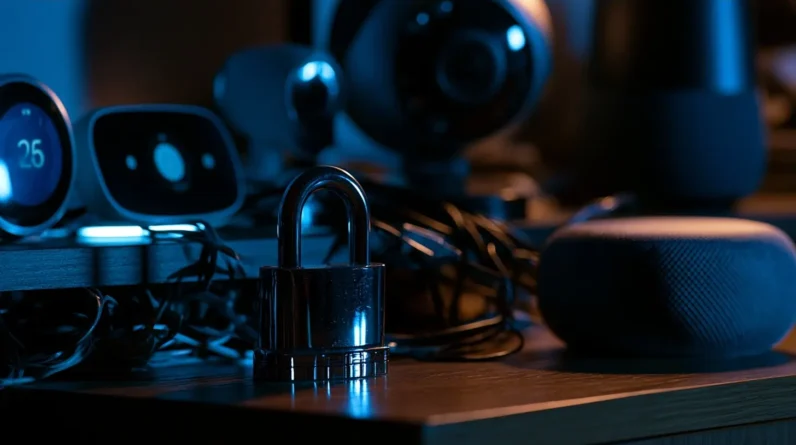




Securing smart devices one setting at a time starts with replacing every default password using unique, 16-character combinations of uppercase letters, numbers, and symbols. We then lock down our router by enabling WPA3 encryption, updating firmware, and segmenting IoT devices onto a dedicated guest VLAN. High-risk devices like security cameras, baby monitors, and smart locks need the most immediate attention. Keep firmware consistently updated to close vulnerabilities fast. Each section ahead breaks down exactly how to execute every step.
Change Default Passwords on Every Smart Device First
When you unbox a new smart device, it ships with a default username and password that every identical model shares—credentials that manufacturers publish openly in product manuals and support forums. Attackers scan networks specifically targeting these known defaults, making unchanged credentials an immediate liability. Replace them during initial setup, before the device connects to your broader network.
Follow these security tips for maximum effectiveness: generate a unique password of at least sixteen characters combining uppercase letters, numbers, and symbols for each device. Never reuse passwords across devices. Use a password manager to store and retrieve complex credentials without relying on memory. Devices like routers, smart cameras, and thermostats each require distinct passwords. One compromised credential shouldn’t cascade into full network access.
Lock Down Your Router Before Securing Anything Else
Your router acts as the gateway between every smart device on your network and the internet, so hardening it first establishes the foundation every subsequent security measure depends on. Audit your router settings immediately before onboarding any smart device.
- Disable remote management unless operationally required
- Enable WPA3 network encryption; fall back to WPA2-AES only
- Update router firmware to eliminate known vulnerabilities
- Segment smart devices onto a dedicated guest VLAN
- Disable UPnP, WPS, and unused service ports immediately
These router settings directly control your network’s attack surface. Network encryption prevents intercepted traffic from being decoded. Every device you connect afterward inherits the security posture you’ve established here, making router hardening the highest-leverage action you’ll take.
Which Smart Devices Pose the Biggest Security Risks?
Not all smart devices carry equal risk, and we need to identify which categories consistently expose networks to the most serious vulnerabilities. Security cameras, smart speakers, and routers rank among the most vulnerable devices because they maintain persistent network connections while handling sensitive data. Smart TVs frequently run outdated firmware, creating exploitable attack surfaces. Baby monitors have historically shipped with hardcoded credentials, making unauthorized access trivially simple. Smart locks introduce physical security risks alongside digital ones.
Data privacy concerns intensify with voice assistants, which continuously process audio and transmit data to external servers. Medical wearables compound these concerns by collecting biometric information over poorly secured channels. Understanding which devices carry the highest threat potential lets us prioritize our hardening efforts systematically rather than addressing everything simultaneously without strategic focus.
Set Up a Separate Network Just for Smart Devices
Isolating smart devices onto a dedicated network segment stands as one of the most effective architectural decisions we can make to limit lateral movement during a breach. Network segmentation through a guest network creates hard boundaries between IoT endpoints and critical systems. Device isolation guarantees compromised hardware can’t pivot toward sensitive data.
Configure your segmented network by addressing these essentials:
- Enable AP isolation to block device-to-device communication within the segment
- Assign a unique SSID exclusively for smart devices
- Apply strict firewall rules between the IoT VLAN and primary network
- Implement robust security protocols including WPA3 encryption
- Monitor traffic patterns using intrusion detection on the segmented interface
These controls collectively reduce attack surface without sacrificing smart device functionality.
Keep Firmware Updated to Close Security Gaps Fast
Firmware updates patch disclosed vulnerabilities before attackers can exploit them, making a consistent update cadence one of the simplest and highest-impact defenses we can maintain. Firmware vulnerabilities expose devices at the lowest software layer, often bypassing application-level controls entirely. Where manufacturers support automated updates, we enable them immediately. Where they don’t, we schedule manual checks monthly and log completion. Before updating, we verify the firmware source against the manufacturer’s official channel to prevent supply-chain substitution. After applying updates, we confirm the version number matches the release notes. Devices no longer receiving firmware support represent unacceptable risk and should be replaced or isolated behind strict firewall rules. Treating updates as non-negotiable operational tasks rather than optional maintenance closes the window attackers rely on most.
Frequently Asked Questions
Can Smart Devices Still Be Hacked Even With Strong Security Settings?
Yes, they can still be hacked. We must conduct regular vulnerability assessments to identify weaknesses and apply firmware updates promptly, since even hardened devices face evolving threats that exploit newly discovered security gaps.
What Should I Do if a Smart Device Gets Compromised?
Congratulations, your smart home’s now a hacker’s vacation home! We’ll isolate the compromised device immediately, execute reset procedures, apply security updates, explore recovery options, and audit for data breaches before reconnecting it to our network.
Are Smart Devices Safe to Use in a Home Office?
Smart devices are safe if we mitigate smart device vulnerabilities proactively. We recommend following home office best practices: segment networks, enforce strong authentication, disable unused features, and apply firmware updates consistently to maintain a hardened, controlled environment.
How Do I Know if My Smart Device Is Spying on Me?
Like a silent intruder, your smart device can collect data without your awareness. We’ll detect potential spying by auditing app permissions, monitoring network traffic, enabling data encryption, and reviewing privacy concerns tied to manufacturer data-sharing policies.
Should I Disable Smart Devices When Leaving Home for Extended Periods?
Yes, we recommend prioritizing smart device safety during extended absence precautions. Disable non-essential devices, revoke temporary access credentials, enable geofencing alerts, and document your network’s baseline activity for immediate anomaly detection upon your return.
Conclusion
Securing smart devices doesn’t happen all at once—we build it systematically, one configuration at a time. Consider a household running 23 IoT devices: after segmenting their network and updating firmware, they eliminated the attack vector that had exposed their security cameras to unauthorized access. We’ve covered the critical steps: changing default credentials, hardening the router, identifying high-risk devices, isolating them on dedicated networks, and patching firmware consistently. Execute each layer deliberately, and we greatly reduce our exposure.