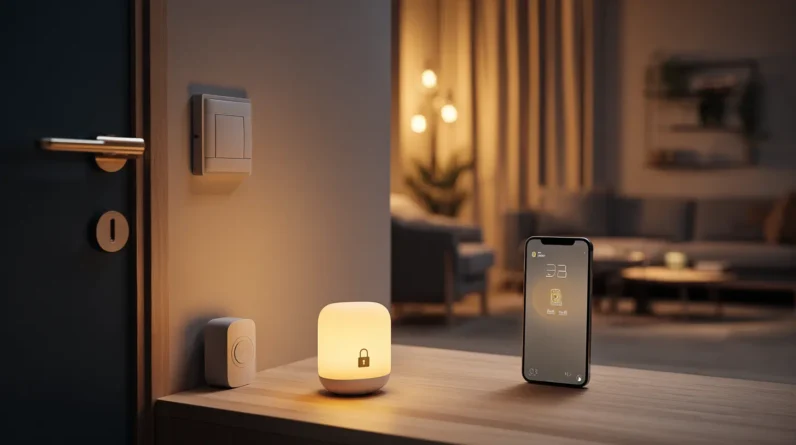




Weak smart home security can quietly unravel an entire network before we even notice something’s wrong. Attackers don’t need sophistication when negligence does the work for them. Default credentials, unpatched firmware, and unencrypted communications hand them an easy entry point. From there, they move laterally across interconnected devices, turning our convenience against us. The good news is that understanding how these exploits unfold is the first step toward stopping them — and there’s plenty more worth knowing.
How Weak Smart Home Security Gets Exploited
Weak smart home security doesn’t just invite risk—it creates a clear pathway for attackers to move through a network with minimal effort. When a single device carries default credentials or unpatched firmware, it becomes an entry point. From there, attackers pivot laterally, probing connected devices—cameras, thermostats, door locks—that share the same network segment. We often underestimate how interconnected these systems are. A compromised smart plug can expose traffic patterns; a vulnerable hub can surrender authentication tokens. Attackers don’t need sophistication when negligence does the work for them. They exploit weak encryption, intercept unencrypted communications, and leverage insecure APIs that manufacturers left poorly documented. Understanding this exploitation chain isn’t optional—it’s the foundation for building a defense that actually holds.
The Devices Most Likely to Put Your Network at Risk
Knowing how attackers exploit a network is only half the picture—we also need to know which devices hand them that opportunity most often. Certain categories consistently emerge as the weakest entry points in a smart home ecosystem.
- Smart cameras – default credentials and unencrypted feeds make them prime targets.
- Wi-Fi routers – outdated firmware and weak admin passwords expose every connected device downstream.
- Smart plugs and hubs – minimal onboard security and infrequent manufacturer updates leave persistent vulnerabilities.
- Voice assistants – always-on microphones combined with loose API permissions create serious eavesdropping and lateral movement risks.
Recognizing these high-risk devices lets us prioritize hardening efforts strategically rather than treating every device as equally critical—because they aren’t.
Warning Signs Your Smart Home Has Been Compromised
Even a well-hardened smart home can fall victim to a breach, so we need to recognize the warning signs before an attacker can do lasting damage. Watch for devices behaving erratically—lights toggling without input, thermostats shifting set points, or locks cycling unprompted. Unexpected spikes in network traffic, especially during off-hours, often indicate a compromised device phoning home to a command-and-control server. If your router logs show unfamiliar MAC addresses or outbound connections to foreign IP ranges, treat that as hostile until proven otherwise. Sluggish app response times and unexplained firmware rollbacks are also red flags. Finally, if your credentials stop working on a device you haven’t touched, assume an attacker has already established persistence and act immediately.
Why Default Settings Are a Security Disaster
Spotting a breach after it’s already happened forces us into damage control, but many smart home attacks succeed long before any warning sign appears—because manufacturers hand attackers an open door through default settings.
Every device ships with predictable vulnerabilities baked in:
- Universal credentials — default usernames and passwords are publicly documented in manufacturer manuals
- Open ports — unused network services run exposed, expanding the attack surface unnecessarily
- Disabled encryption — many devices ship with encryption off to simplify setup
- Auto-connect features — devices join any familiar network without authentication challenges
Manufacturers prioritize frictionless onboarding over hardened security. That tradeoff becomes our liability the moment a device goes online. We can’t afford to treat factory settings as a baseline—we must treat them as a vulnerability requiring immediate remediation.
Simple Steps to Lock Down Your Smart Home Now
Most of the vulnerabilities we’ve already covered have practical fixes we can apply right now, without specialized knowledge or expensive tools. Start by changing every default password on every device—routers, cameras, smart speakers, and hubs included. Use a password manager to generate and store unique, complex credentials for each one.
Next, segment your network. Create a dedicated guest or IoT network so compromised devices can’t reach your primary computers or phones. Enable automatic firmware updates wherever possible, and manually check for updates on devices that don’t support them.
Disable features you don’t use—remote access, UPnP, and unnecessary cloud syncing all expand your attack surface. Finally, audit connected devices periodically. If something’s outdated and unsupported, removing it is often the smartest security decision you can make.
Frequently Asked Questions
Can Smart Home Vulnerabilities Affect My Homeowner’s Insurance Coverage?
Yes, smart home vulnerabilities can affect your coverage. We’ve seen insurers deny claims when weak security enables breaches. They’ll often require you to maintain updated devices and strong passwords to keep your policy valid.
Are Rented Smart Home Devices More Vulnerable Than Owned Ones?
Rented smart home devices can be more vulnerable because you don’t control their firmware updates or security settings. We’d recommend verifying patch schedules with your provider and segmenting rented devices onto a separate network.
Do Smart Home Security Risks Vary by Geographic Location or Region?
Yes, smart home security risks absolutely vary by region. We’re exposed to different threat landscapes based on local cybercrime rates, ISP infrastructure quality, regional regulations, and whether we live in densely populated areas where hackers target networks more aggressively.
Can a Compromised Smart Home Device Affect Connected Guests’ Personal Devices?
Yes, a compromised device can spread malware to guests’ phones or laptops through your shared network. We recommend isolating guest traffic on a separate VLAN or dedicated guest Wi-Fi to contain potential lateral movement.
How Do Manufacturers Legally Handle Data Breaches From Their Smart Devices?
Manufacturers notify, disclose, and compensate—but they’re often legally bound by GDPR, CCPA, and breach notification laws. We must understand that they’ll face regulatory fines, mandatory user alerts, and potential litigation when their devices expose our data.
Conclusion
Your smart home should work for you, not against you. We’ve covered the risks, the red flags, and the fixes — now it’s time to act. Securing your network is like locking every door before you leave the house; it only takes a moment, but the protection lasts. We don’t have to choose between convenience and safety. With the right habits in place, we can enjoy both.