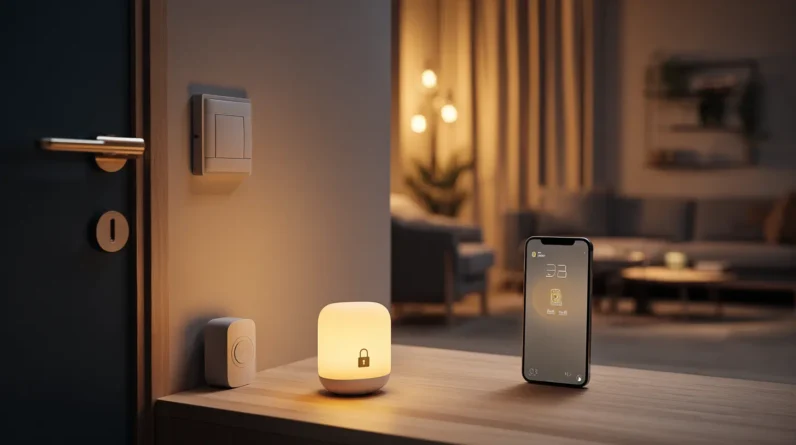




Layered security makes smart home systems less fragile by ensuring no single failure hands attackers complete control. When we stack network segmentation, device hardening, strong authentication, encryption, and continuous monitoring, we force intruders to defeat every barrier instead of just one. Each layer compensates for another’s weaknesses, so a cracked password doesn’t mean a compromised home. Keep exploring, and we’ll show you exactly how to build a system that holds firm even when individual layers don’t.
Why One Layer Is Never Enough
When a single security measure fails—and eventually, every single one does—there’s nothing left standing between an attacker and full access to your smart home. That’s the core problem with flat security architectures: they create a single point of catastrophic failure.
We call this the “brittle wall” problem. Your network is only as resilient as its weakest control, and attackers actively hunt for that weakness. A strong password means nothing if your router’s firmware is unpatched. A firewall means nothing if malware already lives inside your network.
Layered security changes the math entirely. Each additional control forces an attacker to defeat multiple independent barriers. The effort required compounds dramatically, while your exposure shrinks at every layer. That asymmetry is precisely what we’re building toward.
The Core Layers Every Smart Home Needs
Though no two smart homes are identical, they all share the same fundamental vulnerabilities—and the same core layers that address them. We organize these layers into four categories: network security, device security, access control, and monitoring.
Network security starts at the router—segmented VLANs, strong encryption protocols, and a dedicated IoT network isolated from primary devices. Device security means patching firmware aggressively and disabling unused services. Access control enforces least-privilege principles: unique credentials, multi-factor authentication, and role-based permissions for every user and device. Monitoring closes the loop—without visibility into traffic anomalies and login attempts, the other three layers operate blind.
Each layer compensates for the weaknesses of the others. Together, they transform a fragile collection of connected devices into a genuinely resilient system.
How Each Layer Protects the Others
Each layer doesn’t just protect the home independently—it actively reinforces the others. When one layer detects a threat, it triggers compensating responses across the stack. This interdependence is what transforms isolated controls into a resilient system.
| Layer | Protects Against | Strengthens |
|---|---|---|
| Network Segmentation | Lateral movement | Device isolation |
| Authentication | Unauthorized access | Identity integrity |
| Encryption | Data interception | Transmission trust |
| Monitoring & Alerts | Undetected intrusions | Incident response |
| Physical Controls | Direct device tampering | Access boundaries |
Notice how encryption becomes more effective when authentication confirms who’s communicating. Monitoring gains precision when segmentation limits where threats can travel. No single layer carries the full burden—each one narrows the attack surface the next layer must defend.
What Happens When One Layer Fails
Layered security’s strength comes from interdependence—but that same interdependence reveals something worth examining: what actually happens when one layer breaks down. The short answer: the others compensate. If your network segmentation fails, device-level authentication still blocks unauthorized commands. If a firmware vulnerability gets exploited, behavioral monitoring flags the anomaly before damage spreads. No single failure cascades into total compromise.
But we shouldn’t romanticize this. A failed layer increases pressure on the remaining ones, narrowing your margin for error. Two simultaneous failures can create exploitable gaps that neither layer alone would’ve permitted. This is why monitoring each layer’s health isn’t optional—it’s essential. Layered security doesn’t make your system invincible; it makes failure survivable and recoverable, which is exactly what resilience means in practice.
Build a Smart Home System That Bounces Back
Building a smart home system that genuinely bounces back starts with accepting that failure isn’t a hypothetical—it’s a scheduled event. Design with that truth embedded in every decision.
We recommend structuring your system around three principles: isolation, redundancy, and graceful degradation. Segment your network so a compromised device can’t cascade into a full breach. Deploy redundant authentication pathways so a failed credential layer doesn’t lock you out entirely. Configure fallback behaviors—offline modes, local processing, manual overrides—so critical functions survive connectivity loss.
Test your resilience deliberately. Simulate failures quarterly. Identify which layers held and which collapsed. Patch the gaps before attackers or hardware failures do it for you.
Resilience isn’t a feature you add later. It’s an architecture you commit to from the start.
Frequently Asked Questions
How Much Does Implementing Layered Smart Home Security Typically Cost?
Implementing layered smart home security typically costs us between $500–$3,000, depending on device complexity, integration depth, and whether we’re using professional monitoring services or self-managed solutions with redundant protocols and encryption layers.
Which Smart Home Brands Offer the Best Built-In Layered Security Features?
Google Nest, Apple HomeKit, and Amazon Ring lead the pack with robust built-in layered security. We’d also recommend considering Lutron and Arlo, as they’ve integrated strong encryption, multi-factor authentication, and zero-trust architecture into their ecosystems.
Can Renters Install Layered Security Without Modifying Their Living Space?
Like Odysseus traversing without altering the seas, we can deploy layered security as renters—using plug-in Z-Wave hubs, portable cameras, and renter-friendly smart locks that mount without permanent modifications.
How Long Does Setting up a Complete Layered Security System Take?
Setting up a complete layered security system typically takes us one to three weekends, depending on complexity. We’ll spend the first session on sensors, the second on cameras, and the third on integrating automation and testing everything thoroughly.
Does Layered Security Slow Down Smart Home Device Performance Noticeably?
We’re building a fortress wall that’s invisible—layered security rarely slows your devices noticeably. Modern processors handle encryption seamlessly, so we’re ensuring your smart home’s performance stays swift while maintaining robust, multi-layered protection throughout.
Conclusion
We’ve built something worth protecting, and layered security is how we keep it standing. Like Odysseus maneuvering treacherous waters, we don’t rely on one rope to hold the ship — we use many. When one layer weakens, the others carry the weight. That’s not fragility; that’s resilience. Our smart homes don’t have to be vulnerable. We just have to be deliberate about how we defend them.